New in v0.2.17: Show QR on your device now answers every phone that taps it
RemoteHub for Songhub. Run the karaoke from any device.
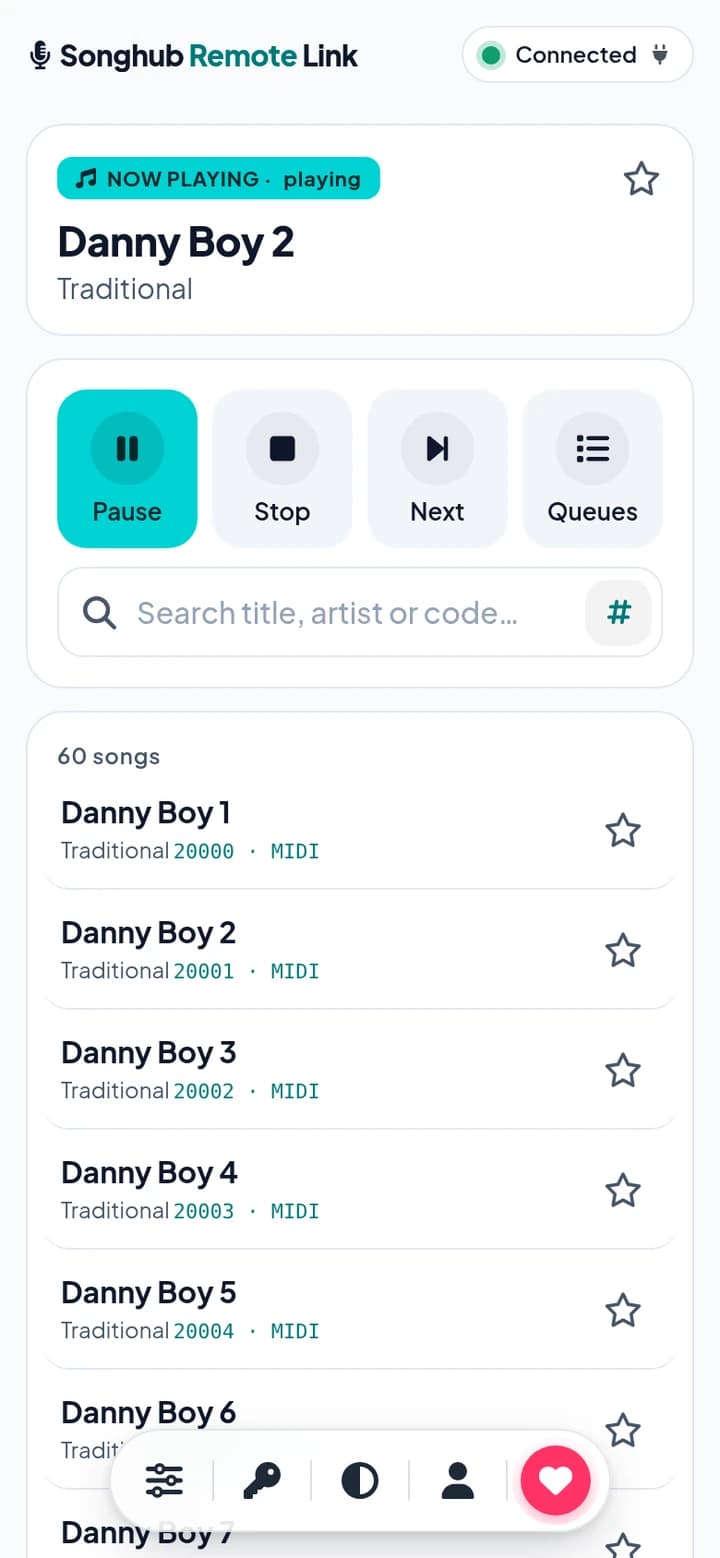
RemoteHub finds every SongHub player on your Wi‑Fi and gives each one its own access code and QR. Guests open songhub.link to search, queue and control songs, no app needed and no need to be on your Wi‑Fi.
Works on Android TV, TV boxes, tablets and phones running Android 7 or later. Google Play listing coming soon.
Everything a karaoke night needs
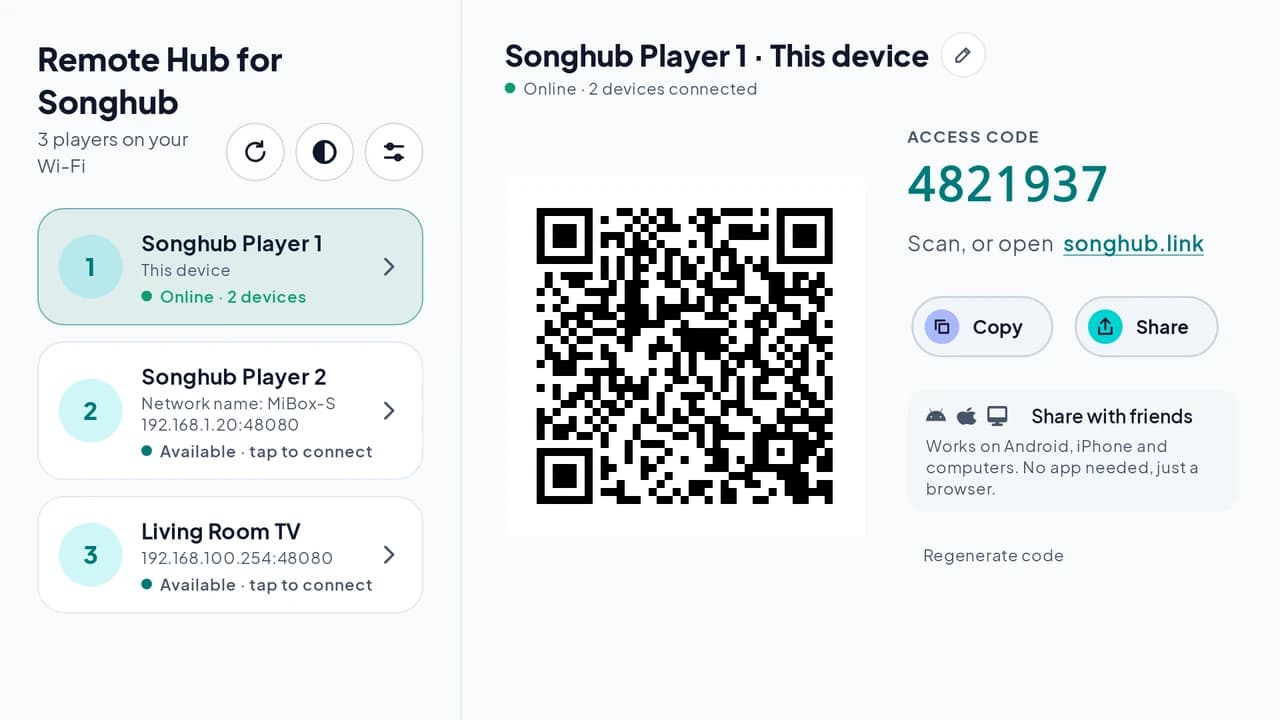
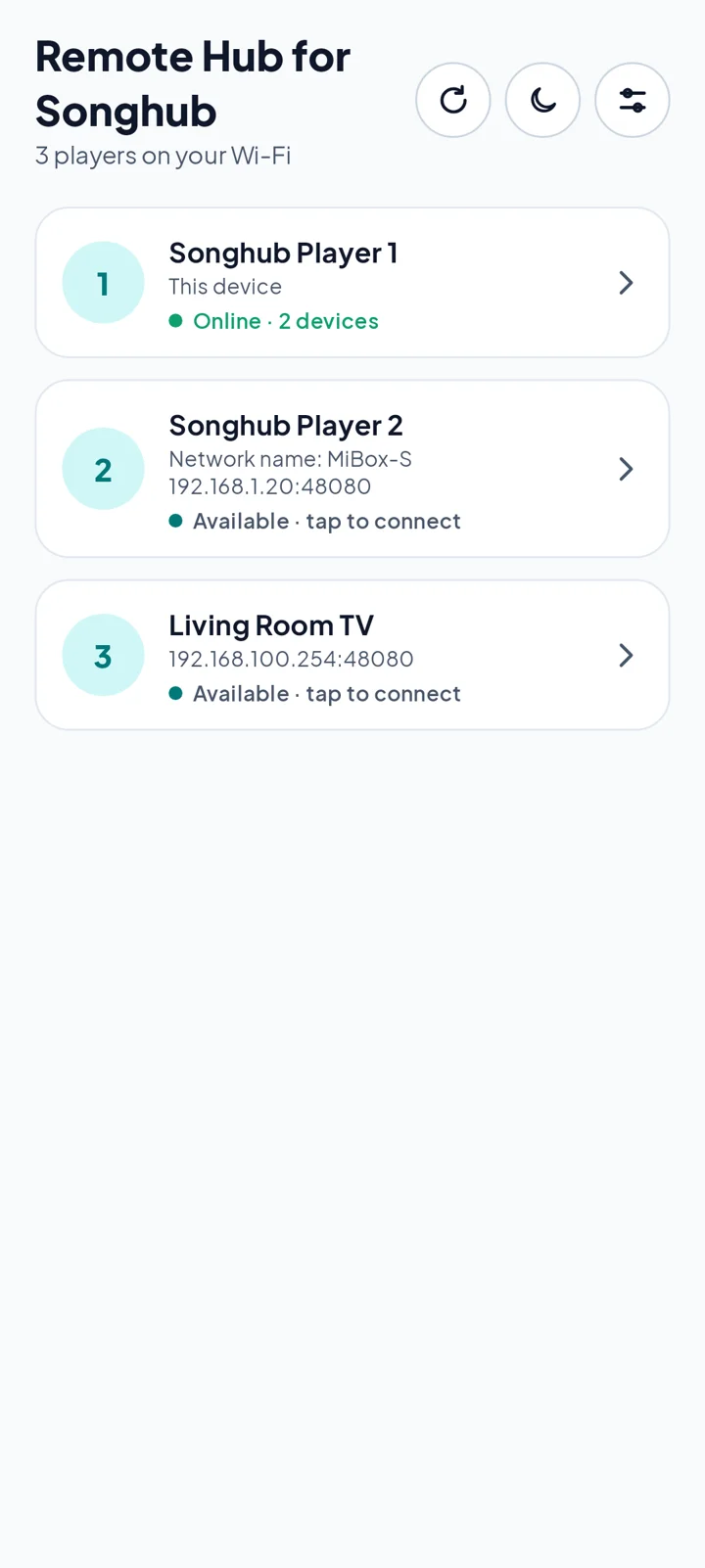
Finds every player
A quick scan lists each SongHub player on your Wi‑Fi in the order found, with its full IP and port. Offline players drop off on their own.
Name your players
Rename any player, like Living Room TV. RemoteHub suggests the name your router already uses.
Short 7‑digit codes
Each player gets its own 7‑digit access code and QR, with Copy, Share and a Share with friends card for Android, iPhone and computers. Older codes keep working.
QR over SongHub
Tap Show QR over SongHub, or just press Home, and a small picture‑in‑picture window shows this device's code and QR while SongHub keeps playing.
Show QR on your device
Guests can tap Show QR on your device at songhub.link to bring the QR up on the karaoke device, once you allow it in Settings (v0.2.16 or later).
My Songs and playlists
Sign in with Google to star favorites in My Songs and build up to 50 playlists of up to 200 songs. Long‑press a song to add it, or use Add from My Songs. Delete your account any time.
Who added it
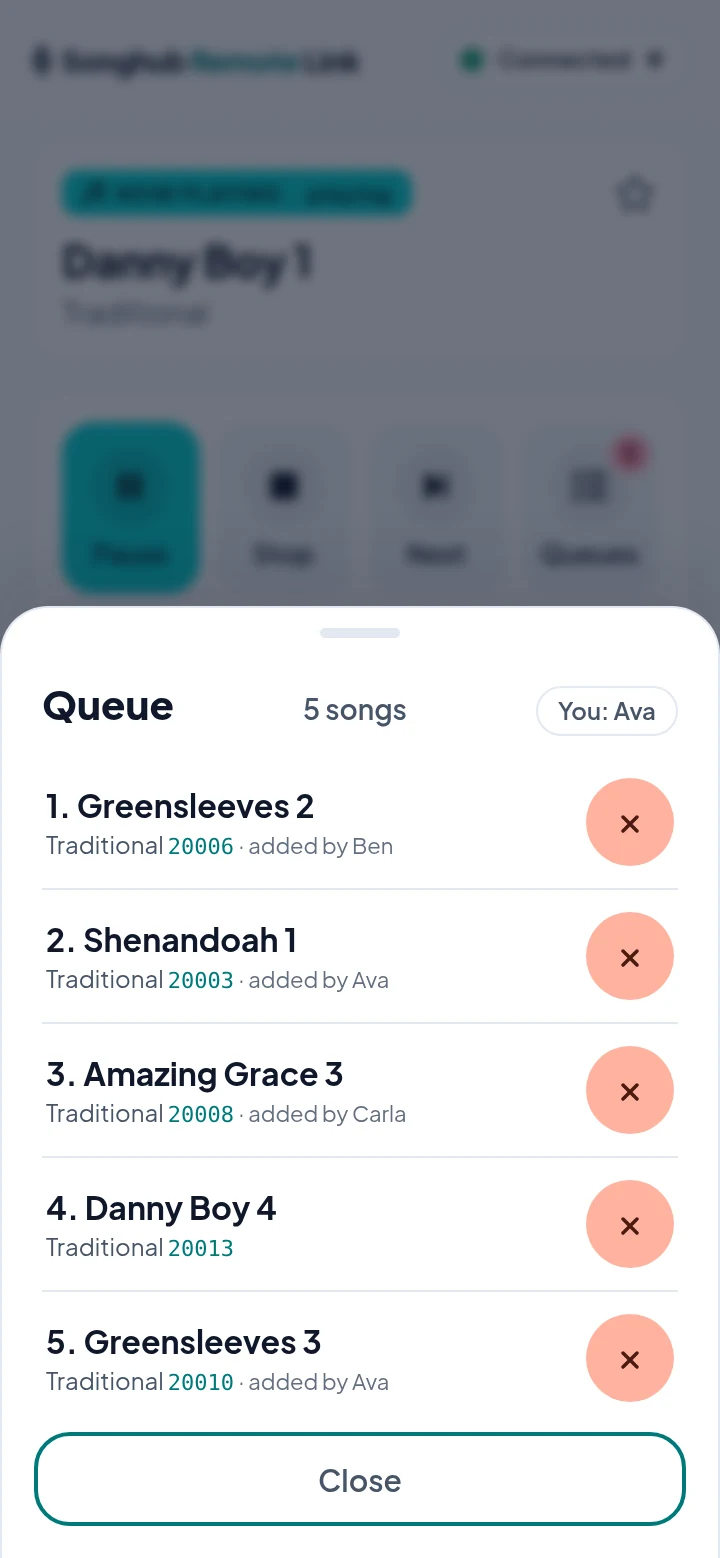
Guests can add an optional name, shown as “added by” on the songs they queue. Queue a song that's already waiting and you're asked first.
Fast song control
Tap a song for Reserve, Play Now or Move to Top, or type its number on the # keypad. Play and Pause update live, and Melody, MPX and BGV live in Advanced.
One handy pill
On any device, a single bottom pill holds Advanced, the access code, the theme switch, My Songs and Donate, and turns into Back to top as you scroll.
Stays connected
Players reconnect on their own, recover when Wi‑Fi changes and come back after a restart, and rest when no phone is connected to save battery. Runs edge to edge on Android 15.
Clear when offline
If the connection drops, controls show a Not connected notice instead of failing silently. You can still search and browse songs.
Light or dark
A clean light theme by default, with dark mode one tap away, on every device.
Up and running in a minute
- Install RemoteHub on an Android device on the same Wi‑Fi as SongHub.
- Open it, let it scan, then tap a Songhub Player to show its code and QR.
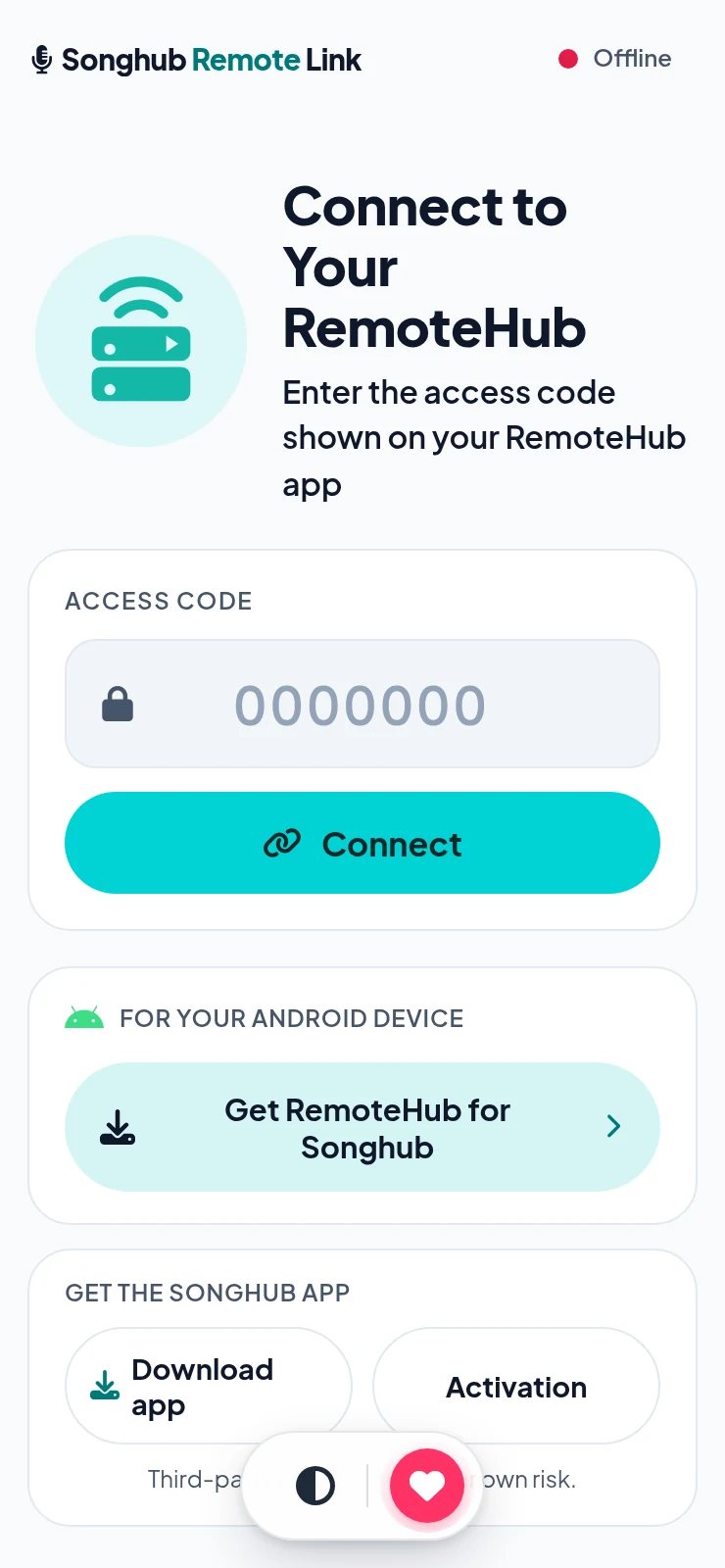
- Guests scan the QR or enter the 7-digit code at songhub.link, accept the terms once and take the mic.
Video transcript
It's karaoke night! But there's one remote, and everyone's waiting.
With RemoteHub, the host finds the karaoke device in seconds!
Keep SongHub open. Your devices pop right up!
Show the QR code! Friends join from any device.
Or type the code at songhub dot link. No app needed!
Not on the Wi-Fi? No problem! Use mobile data, from anywhere!
Search any song, by title, artist, or number!
Tap it, hit Reserve. It's in the queue!
Know the song number? Tap the keypad and type it in!
Pick. Reserve. Sing!
Get RemoteHub today, at banacomputing dot com!
Get the Songhub app
SongHub is a third-party app. Install at your own risk.
RemoteHub for Songhub is an independent companion app made by Bana Computing. It works alongside the SongHub karaoke app but isn't affiliated with, endorsed by or sponsored by SongHub or its developer, jpdcs. SongHub is required separately.